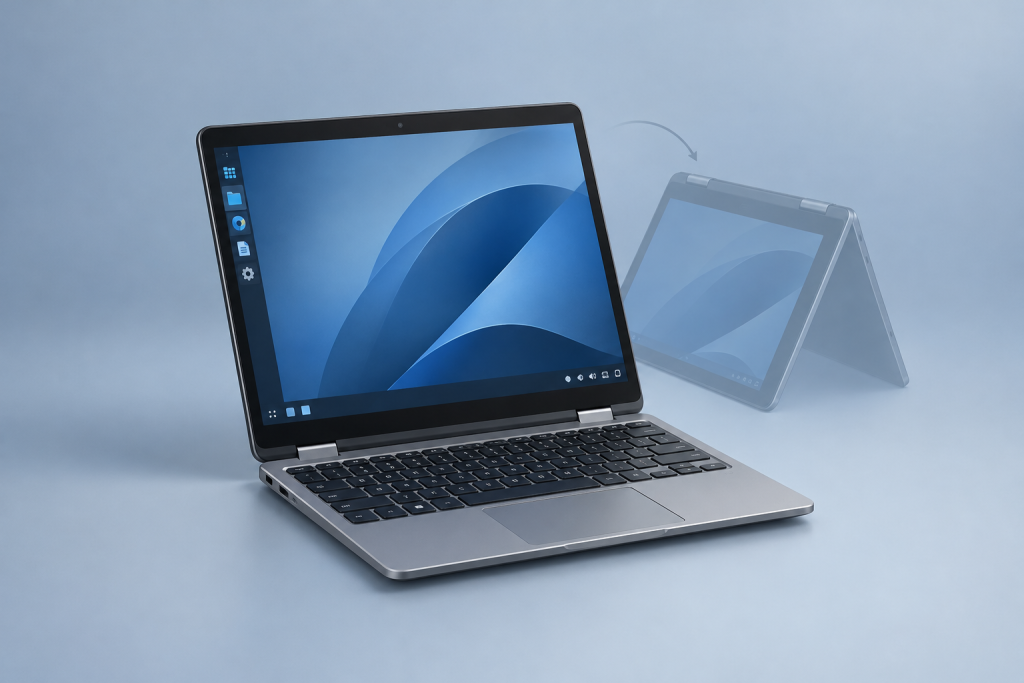
The Framework Laptop 12 now has a Fedora Linux preinstalled option, giving buyers a factory configured Linux system rather than another installation project. The option accompanies the Intel Core Series 3 refresh of the 12.2-inch convertible, with Fedora 44 KDE Plasma Desktop on prebuilt configurations starting at an announced $699 in the United States. Framework introduced the option on August 18, 2026, alongside its new Laptop 12 hardware, rather than as a separate October launch.
The refresh also brings Thunderbolt 4, Wi-Fi 7 and options for a fingerprint reader and backlit keyboard. But the operating system choice deserves attention of its own. For someone who wants Linux without preparing installation media, checking drivers or replacing an unwanted operating system, the change removes work between opening the box and using the computer.
That does not make the Fedora model the automatic choice for everyone. The useful questions are what Framework installs, how that image supports the new hardware, and whether Fedora’s maintenance schedule suits the person buying it.
What the Fedora Preinstalled Option Changes
A laptop that supports Linux and a laptop that ships with Linux are different purchasing propositions. In the first case, the buyer still has to choose an installer, write it to a USB drive, boot it and configure the system. In the second, that installation work has already been done.
Experienced users may regard those steps as routine. Someone buying a computer for a course, a family member or a small office may regard them as an unnecessary afternoon. Both positions are reasonable. The Fedora option makes the installation process optional rather than treating it as an entrance exam.
The more useful benefit is a defined starting point. When troubleshooting a new computer, it helps to know which operating system image the manufacturer intended for that hardware. A fault on an unchanged factory installation is easier to describe than one on a system assembled from an older installer, extra repositories and several experimental fixes.
Preinstalled should still not be read as fully personalized. Expect to configure your account, connect to your network, apply available updates and install your applications. Choosing backup arrangements and checking how your files will move from the old computer remain your responsibility. The factory installation removes a technical chore; it does not make those decisions for you.
Why Fedora KDE Plasma Fits a Convertible
The desktop matters more on a convertible than it does on a computer used only with a keyboard and mouse. Folding the keyboard behind the screen changes how a person reaches controls, enters text and moves between applications. A desktop that looks tidy in a screenshot still needs to behave sensibly under a finger or pen.
Fedora’s work on this model goes beyond putting a familiar desktop on a new SSD. Its launch report describes collaboration between Framework, Fedora quality assurance contributors and the KDE community, including checks on power states, wireless connectivity, fingerprint support, screen rotation and stylus input. Touch navigation, virtual keyboards and pen handling under Wayland form part of that effort, documented in Fedora’s account of the Laptop 12 hardware validation.
Those are useful areas to test, but they are not a promise that every application becomes comfortable in tablet mode. Buyers should distinguish desktop behavior from application behavior. Try the actual note taking, drawing or document annotation software you intend to use, rather than judging the experience by whether the screen rotates.
Plasma also leaves room to adjust the conventional laptop experience. Its launcher, panels, widgets and desktop settings support different working arrangements, as shown in KDE’s overview of the Plasma desktop. On a compact computer, consider whether you prefer larger controls and fewer visible windows or a denser workspace with more information on screen.
Readers who depend on older graphical applications should also consider the broader desktop transition covered in our article on KDE Plasma’s retirement of X11 sessions. That is a separate compatibility question from whether the laptop arrives with an operating system installed.
The Factory Image Matters on New Hardware
The strongest reason to choose the Fedora configuration is not that installing Linux is particularly difficult. It is that a newly released hardware platform can need software newer than the installer sitting in your downloads folder.
Framework’s October 13, 2026 update identifies the factory system as a customized Fedora 44 KDE Plasma installation containing the patches needed for hardware support. It recommends a distribution with Linux kernel 7.1 or newer for the Core Series 3 platform and Intel BE213 wireless module, and confirms that the customized image is also available for DIY installations. The same October update on the Laptop 12’s software and shipping plans scheduled initial shipments for that week and listed November for the preorder batch available at the time.
That distinction should shape any reinstall plan. Do not assume an older generic Fedora image is interchangeable with the factory image simply because both carry the Fedora name. Before replacing the supplied system, check the instructions for the exact hardware generation and keep a recovery route available.
Nor does the kernel recommendation mean you should replace the factory kernel with the newest build you can find. Start with the supported configuration, apply its normal updates and change components only for a clear reason. Our coverage of Linux 7.3 and its implications for desktop users provides broader context, but a larger version number alone is not a troubleshooting strategy.
Shipping dates deserve the same care. An announcement’s first batch date is not a delivery promise for an order placed weeks later. Check the batch attached to your configuration before planning around its arrival.
Prebuilt or DIY: Compare Complete Computers
The Fedora model makes the prebuilt route more relevant to Linux buyers. Instead of choosing between a ready assembled computer with an unwanted operating system and a machine that requires assembly and installation, buyers can choose a ready assembled Linux configuration.
The right comparison is the complete purchase, not the lowest price shown beside each edition. Match the processor, memory, storage, keyboard and ports you actually need. Include any components you would have to supply yourself, then consider the value you place on assembly and installation time.
A buyer who already owns suitable components and enjoys setting up Linux may still prefer DIY. Someone who wants to give the laptop to another person, or put it straight into service, has a stronger reason to consider the prebuilt system. Saving money and saving an afternoon are different benefits. Neither appears reliably in the other’s price column.
Check optional hardware rather than inferring it from the operating system label. If fingerprint login or a backlit keyboard matters, verify that it appears in the selected configuration. Treat accessories the same way: decide whether you need a pen, extra port modules or a charger, then check what the order includes.
Avoid replacing a working computer solely to obtain a factory installation. If your present Laptop 12 already meets your needs, the relevant question is whether the newer hardware offers something you need, not whether another unit arrives with Fedora already installed.
Fedora Still Requires an Upgrade Plan
A factory installation does not turn Fedora into a long term support operating system. Fedora KDE Plasma Desktop releases receive updates for approximately 13 months, a maintenance period stated on the Fedora KDE Plasma Desktop edition page. Buyers should plan for release upgrades during the laptop’s useful life.
That schedule may suit someone who follows desktop releases and wants reasonably current software. It deserves more thought when the computer will belong to a person who rarely checks updates, or when it must remain dependable through an academic term or busy work period.
Decide who will maintain the machine before buying it for somebody else. “It runs Linux” is not a maintenance arrangement. Agree on who handles updates, backups and release upgrades, and choose a time for larger changes that does not collide with an exam, deadline or trip.
Keep the backup plan separate from the upgrade plan. Before a release upgrade, verify that important files exist somewhere other than the laptop and that you can access that copy. If the computer holds work you cannot replace, test recovery before you need it.
The sensible expectation is less installation work at purchase, not a computer that never needs attention. Fedora’s maintenance schedule is part of the buying decision, just as screen size and keyboard preference are.
Check Applications Before You Commit
Hardware validation answers whether the operating system supports the computer. It does not answer whether the computer supports your entire working day.
Start with the applications and services you cannot replace. Check your employer’s remote access requirements, course software, document workflows and any peripherals you depend on. For a convertible, include the actual handwriting or drawing application you expect to use. A good desktop experience cannot compensate for a missing required program.
For everyday software installation, KDE provides a graphical route through Discover. It can present applications from distribution repositories and other supported sources, including Flatpak repositories, as described on KDE’s Discover application page. The sources enabled on the machine determine what is available; the presence of an application store does not mean every program is included.
For a student, a useful test would be opening course documents, joining the required meeting service and annotating a sample PDF. For a developer, it would be building a representative project and checking the peripherals used at the desk. These tests tell you more than browsing a list of software categories.
Do that checking before moving your only copy of important work onto the machine. Keep the previous computer available during the transition if practical. There is no prize for turning a straightforward migration into an emergency.
Repairability Adds a Separate Reason to Consider It
The Fedora option addresses software setup, while the Laptop 12’s repair approach addresses a different ownership problem: what happens when a component fails. Published iFixit repair guides for the Framework Laptop 12 cover parts including the battery, display, memory, storage and mainboard.
For a buyer planning to keep a computer for several years, repair documentation is worth checking alongside the initial configuration. Read the relevant procedure, assess whether you would attempt it and check the cost and availability of the part. Repairable does not mean every repair is economical or something every owner wants to perform.
Keep the two benefits separate when comparing alternatives. A convenient operating system installation is valuable on day one. Accessible repairs may matter much later. Neither replaces the need for a comfortable keyboard, suitable applications and a display size you can work with.
Who the Fedora Configuration Suits
The Fedora prebuilt option makes most sense for someone who already wants Linux, prefers a compact convertible and would rather begin with a manufacturer prepared system than assemble and configure one. It is also a clearer purchasing choice for someone helping another person move to Linux, provided there is a plan for ongoing maintenance.
It is less persuasive if you intend to erase the factory image immediately, need software that does not fit your Linux workflow or already own a satisfactory machine. In those cases, installation convenience should not drive the purchase.
The practical change is welcome: buyers can choose the Laptop 12 as a finished Linux computer, not just as hardware on which Linux can be installed. Check the complete configuration, verify your applications and plan the upgrades. Then the factory installation can do what it should do: get out of the way.