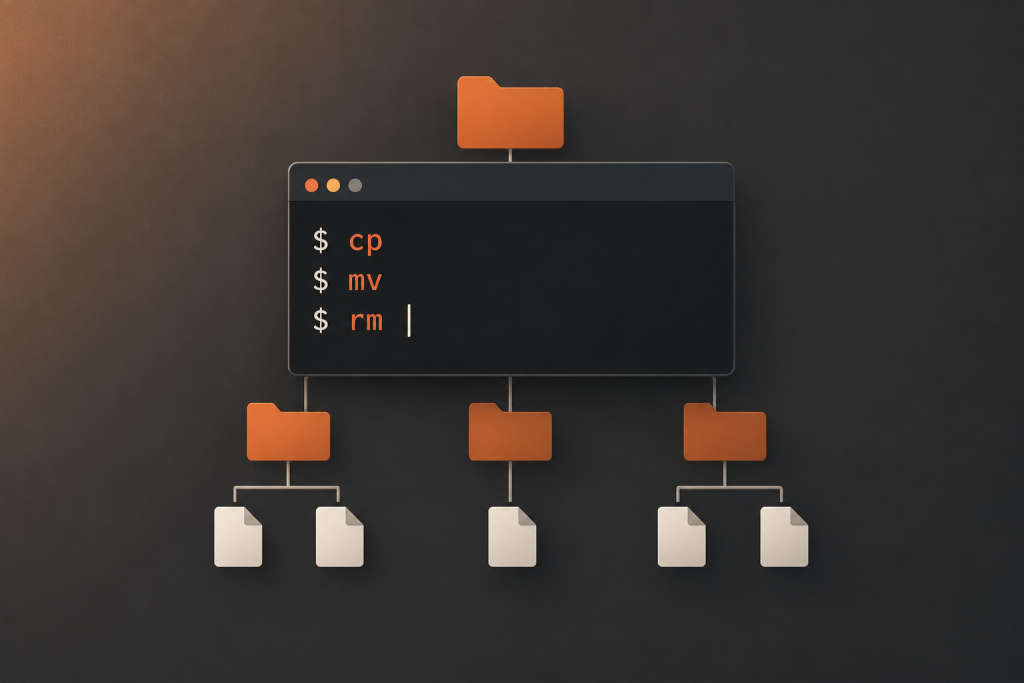
Ubuntu 26.10 completes its move to Rust-based core utilities by replacing the remaining GNU implementations of cp, mv and rm with their uutils equivalents. Released on October 15, 2026, the distribution now uses Rust implementations throughout its default coreutils set, a milestone confirmed in the Ubuntu 26.10 release notes.
These are the commands that copy files, move directories and remove yesterday’s build output. Changing their implementation matters because scripts depend on more than familiar names. Options, permissions, error handling and filesystem behaviour all form part of the practical contract.
For desktop users, the change should mostly stay out of sight. For administrators and developers, it deserves a focused compatibility check. A safer implementation is welcome; a backup script that still does exactly what it should is non-negotiable.
What Ubuntu’s completed Rust coreutils switch means
Coreutils is a collection of foundational command-line programs, not another name for the Linux kernel or the entire operating system. Its tools handle everyday work such as listing directories, reading files, creating folders, sorting text and reporting file metadata.
The migration changes the programs behind those familiar command names. It does not introduce a new shell language, require users to rewrite every script, or turn Ubuntu into an operating system written entirely in Rust. The command name stays the same, the implementation changes.
Ubuntu 26.10 also did not begin this transition. Ubuntu 25.10 introduced Rust coreutils as the default, while Ubuntu 26.04 LTS retained GNU versions of cp, mv and rm because of unresolved bugs. GNU utilities remained available alongside the replacements, with documented ways to select the GNU implementation. That earlier arrangement appears in Ubuntu’s coreutils migration and fallback documentation.
The distinction matters when comparing releases. “Ubuntu uses Rust coreutils” and “every default coreutils command comes from uutils” describe different stages of the rollout. Ubuntu 26.10 reaches the latter.
The final three commands deserve particular attention
Copying, moving and deleting files are ordinary operations with potentially expensive consequences. Treat the following as priorities for validation, rather than a list of known faults in Ubuntu 26.10.
| Command | Everyday purpose | What to check in automation |
|---|---|---|
cp |
Copy files and directories | Permissions, ownership, timestamps, links and overwrite behaviour |
mv |
Move or rename files and directories | Existing destinations, moves between filesystems and failure handling |
rm |
Remove files and directories | Recursive cleanup, protected files, symbolic links and partial failures |
Prioritise scripts that run with elevated privileges or touch shared storage. A disposable build directory is a better starting point than the only copy of a project archive. This is not the moment to make production data your test fixture.
Why Rust helps, and what it cannot prevent
Rust’s appeal here is its approach to memory safety. Safe Rust enforces rules that prevent invalid memory access, while operations outside those guarantees require explicit unsafe boundaries. Those boundaries still depend on programmers meeting their obligations; the Rust language documentation on unsafe code describes that distinction.
For users, the useful interpretation is narrower than “Rust means secure.” Moving code into safe Rust can remove opportunities for certain memory errors. It cannot prove that a command copies the correct file, applies the intended permissions or handles every filesystem race correctly.
A deletion utility can be memory-safe and still receive the wrong directory from a badly written script. A copying utility can avoid invalid pointer access yet mishandle an unusual combination of options. Security and correctness overlap, but they are not interchangeable.
That is why the language change should not alter basic operating discipline. Keep permissions restrictive, avoid granting unnecessary privileges, maintain recoverable backups and install security updates. Rust belongs in that defence, not above it.
It also helps to separate two questions during an upgrade review: does the new implementation reduce a class of programming risk, and does it preserve the behaviour your workload requires? A positive answer to one does not automatically answer the other.
GNU compatibility involves more than recognising options
The uutils project aims to provide a drop-in replacement for GNU coreutils. Its stated goals include matching standard output and exit status, while its documentation also acknowledges that options or behaviour can still differ. That combination of ambition and qualification is explicit in the uutils coreutils project documentation.
Compatibility therefore needs a practical definition. A script may recognise the right command, pass accepted options and finish without an obvious error, yet still leave different metadata behind. Another script might depend on an exit status to decide whether cleanup should continue.
Consider a deployment workflow that copies application files into a staging directory, checks the result and then moves the directory into place. Its contract includes more than the presence of those files. The owner, access permissions, destination layout and response to an existing directory may all matter.
When reviewing such a workflow, distinguish what the script deliberately requires from behaviour it happens to rely on. If a process parses a human-readable error message, consider replacing that dependency with a clearer check. Where exact behaviour is necessary, make it an explicit test.
The project runs its implementation against GNU’s test suite and publishes results through its GNU coreutils compatibility test coverage page. Those results provide evidence about the tested cases. They should not be treated as a percentage guarantee that an unrelated production workflow will work.
A test suite and a local acceptance test answer different questions. Keep both.
How to test scripts before relying on the new defaults
Start with a representative copy of your workload, not an artificial demonstration containing two empty files. Choose a small directory tree that resembles the real task: ordinary documents, subdirectories, links and whichever metadata your process promises to preserve.
Record the expected result before testing. Otherwise, it is surprisingly easy to call a run successful because nothing visibly exploded.
Check the resulting files, not just the terminal output
For a backup or deployment script, compare file contents and directory structure. Then check the attributes that matter to the job. If the workflow promises to preserve timestamps, include that requirement. If ownership matters only on the destination server, test there rather than drawing conclusions from a laptop account.
Use the same options as the real script. A successful basic copy tells you little about a process that combines recursive copying, metadata preservation and overwrite restrictions.
Also inspect what should remain untouched. A useful acceptance test checks both the intended changes and the boundaries around them. For a cleanup task, that means verifying the files it removes and confirming that neighbouring directories survive.
Exercise failure paths deliberately
Successful operations are only half the review. Introduce harmless failures in a disposable environment and examine how the surrounding script responds.
- Existing destinations: Check whether the workflow stops, replaces files or asks for confirmation as intended.
- Permission failures: Confirm that a refused operation produces a result the script handles correctly.
- Missing inputs: Verify that an absent source does not trigger an inappropriate next step.
- Partial completion: Check what remains when some operations succeed and others fail.
Do not restrict the assessment to whether a command reports failure. Decide whether the script notices, stops where necessary and leaves enough information for recovery. A failed copy followed by unconditional deletion of the original is a script-design problem regardless of implementation language.
Reproduce the actual execution environment
Test scheduled jobs through their normal scheduling mechanism where practical. Review the account, working directory, environment and command resolution rather than assuming an interactive terminal reproduces them.
Keep container workloads separate from host tests. Identify the utilities inside each image instead of assuming that a host operating-system upgrade replaces everything a container uses. Apply the same caution to remote jobs: validate the machine performing the operation, not just the workstation launching it.
For teams, retain a small acceptance dataset and expected results in the project’s test process. That work remains useful beyond this migration. The next distribution upgrade, filesystem change or script edit can use the same checks.
Do Rust coreutils make Ubuntu faster?
Do not read the completed migration as a blanket performance claim. A command’s implementation language alone is not enough to predict how quickly a particular workload will finish.
The uutils developers’ paper, Rust Coreutils: Rebuilding Unix Foundations in a Modern Language, discusses design choices including parallelism, shared library code and efficient data transfer. These are reasons to investigate performance, not evidence that every command becomes faster on every Ubuntu machine.
If speed matters to your work, measure the task you actually run. Compare equivalent inputs, options and output requirements. Separate tests involving many small files from those involving a few large files, and repeat the measurements under comparable conditions.
Check correctness before celebrating a shorter runtime. If one run skips an operation that the other performs, the result is not a useful performance comparison.
For most users, the more useful target is predictable behaviour without a noticeable regression. Faster processing is welcome, but it should arrive with the same required result. A benchmark does not get to negotiate away your file permissions.
This is separate from Ubuntu’s kernel and desktop changes
Keep the coreutils migration distinct from changes elsewhere in the release. Command-line utilities, the desktop shell and the kernel occupy different parts of the system. Improvements in one should not become an explanation for every change you notice after upgrading.
Hardware and driver questions belong with the Linux 7.3 desktop assessment, rather than with the language used to implement file utilities.
The same separation applies to visual responsiveness. For that topic, see the coverage of GNOME 51’s frame scheduling work. A smoother animation is not a coreutils benchmark.
When investigating a regression, name the operation that changed. A failed file operation, a desktop freeze and a graphics fault call for different evidence. Keeping those categories separate makes troubleshooting less speculative.
What to do before upgrading a working machine
For a general desktop, focus on the automation you have added: backup jobs, photo import scripts, development helpers and cleanup tasks. There is little value in manually checking every coreutils command if your concern is one nightly archive process.
For a server or development workstation, assign the migration a place in the upgrade checklist. Identify important scripts, run representative tests, record the installed package versions and decide what would justify postponing deployment.
Keep unrelated security changes in their own review. Ubuntu’s post-quantum package signing changes concern package authentication, not whether a copy operation preserves the attributes your application needs.
If a coreutils difference appears, reduce it to a small, reproducible case using disposable files. Record the command’s options, expected result, actual result, filesystem type and package version. Remove private filenames and contents before sharing the report.
Ubuntu 26.10’s completed switch is a meaningful maintenance milestone, but the sensible user response is practical rather than ideological. Keep familiar workflows, verify the ones that can cause damage, and judge the replacement by both its safety properties and its results. The best outcome is straightforward: the commands keep doing their jobs, with less risk hidden underneath.